-
- Select IDR to Submit using List View or Calendar View page option
- Note the IDR Status is Incomplete
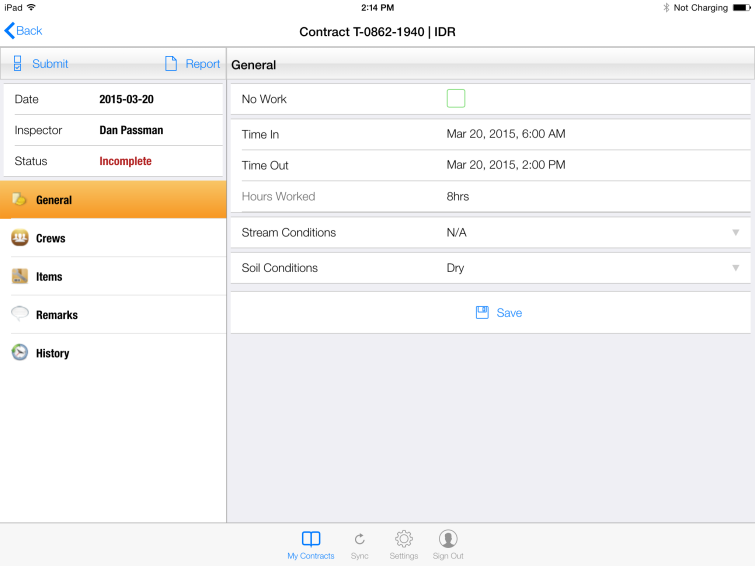
Figure 121 - IDR before Submittal. Note Status = Incomplete
- Tap Submit button located in upper left corner of IDR page

Figure 122 - Submit button located on IDR General Toolbar
- The IDR Submittal remark form is displayed
NOTE: Entering a remark is optional
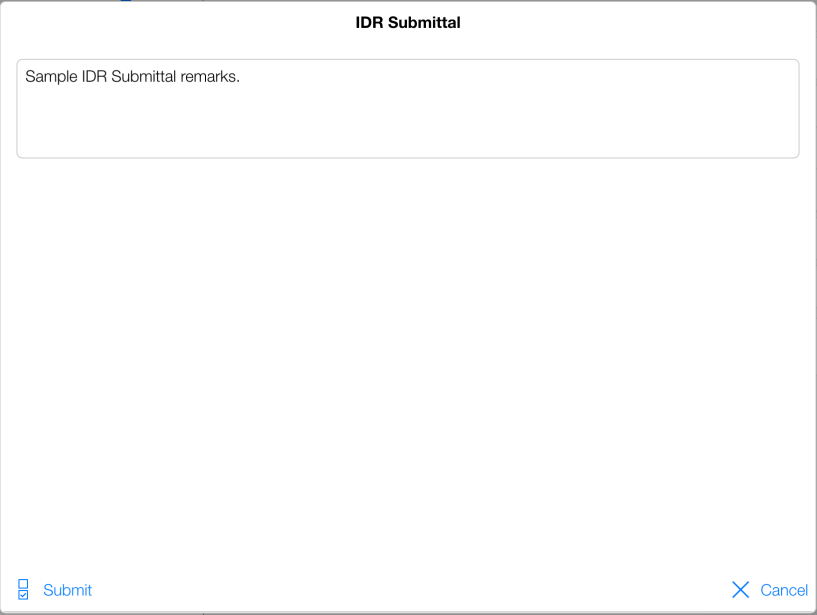
Figure 123 – IDR Submittal remarks added by tapping text box
- Tap the text box in the IDR Submittal form and enter any remarks (optional)
- Tap the Submit button
- The IDR Status is now changed to Submitted
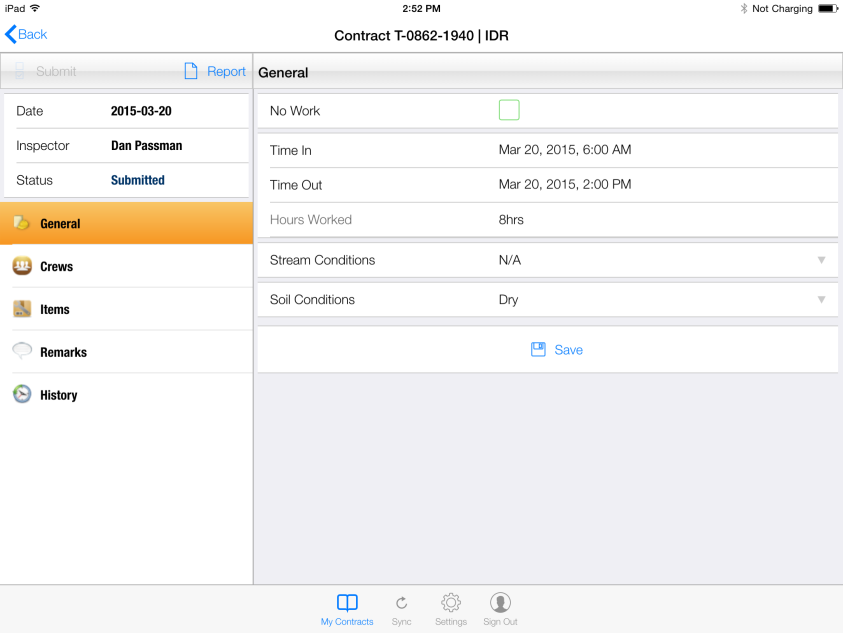
Figure 124 - Note Status has changed to Submitted
NOTE: You must perform a Sync in order to push the submit status to the master database