13.4.3 Holding and Releasing Hold an Item/IDR Item
The procedure to hold an item/IDR item is same. Following example shows holding an item. Use the same steps to hold an IDR item.
To hold an item, check the checkbox in the Hold column of the Item Holds grid. Add a reason for the Hold. You can select an existing a reason from dropdown or type a new reason.
Note: To hold an Item, it is necessary that you check the hold checkbox and provide the reason. Once an item is edited, the background of the modified cell will change to light green.
Click the Save Button to save the changes. You can set/release hold on multiple items in the current page of the grid simultaneously by editing multiple items and clicking save button once.
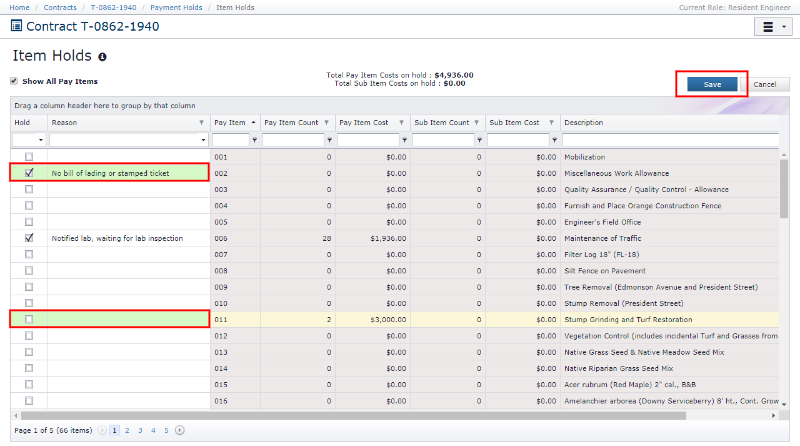
To release Hold from an item, uncheck the Hold checkbox and clear the reason. Click Save button to save the changes.
Next Topic: Pay Item Underrun / Overrun Review