-
The Discussion Forum allows all project personnel to comment/reply on various areas of the contract or task order. The Discussion Forum is currently available on the Issues and Punch List Items pages. The following example will demonstrate utilization of the Discussion Forum in relation to a fictional Punch List Item. (The user interface is identical for Issues)
To open the Discussion Form:
- Tap the Comment Link located on the right side of the item

- The Discussion Forum page will display.
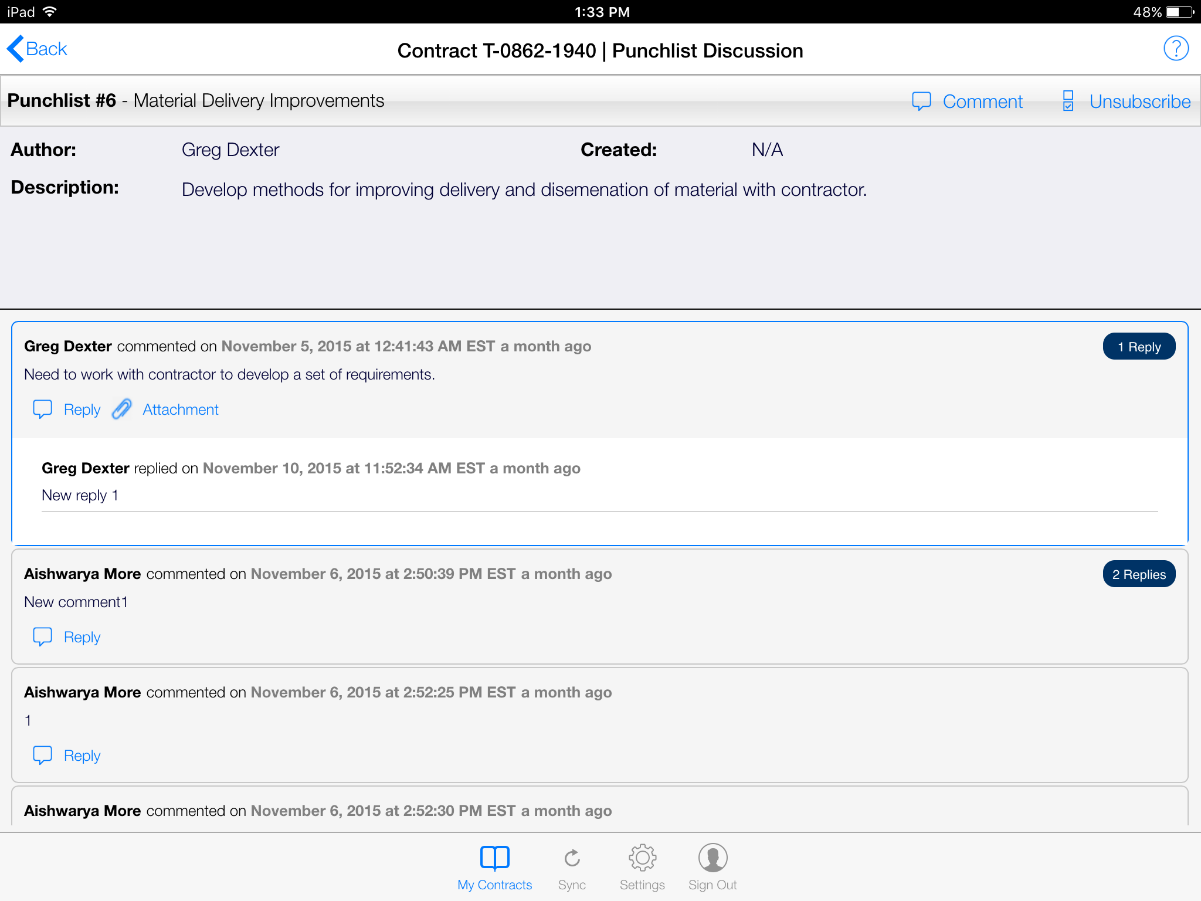
- Comment and Reply: Tapping the Comment link at the top of the Discussion toolbar will load the Add Comment page.
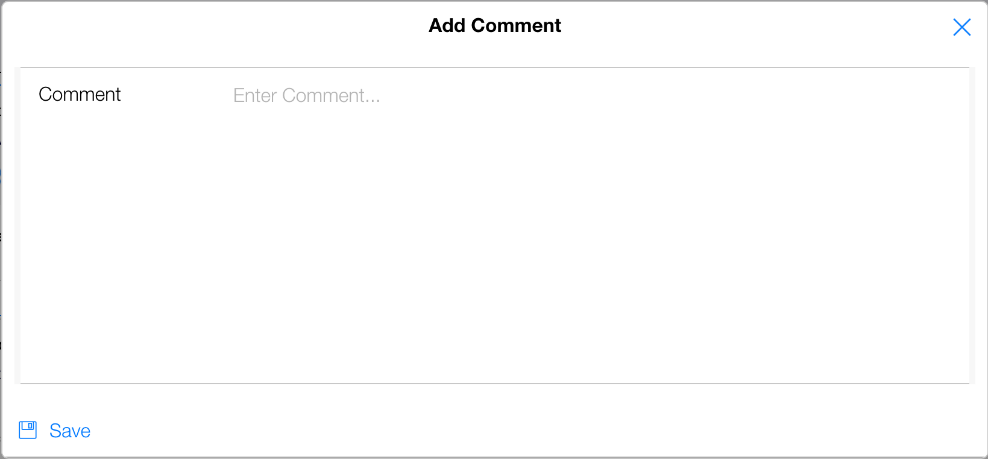
- Type or Dictate (if connected) your comment and tap Save. Once the comment or reply is saved you will see two new options, Delete and Add Attachment
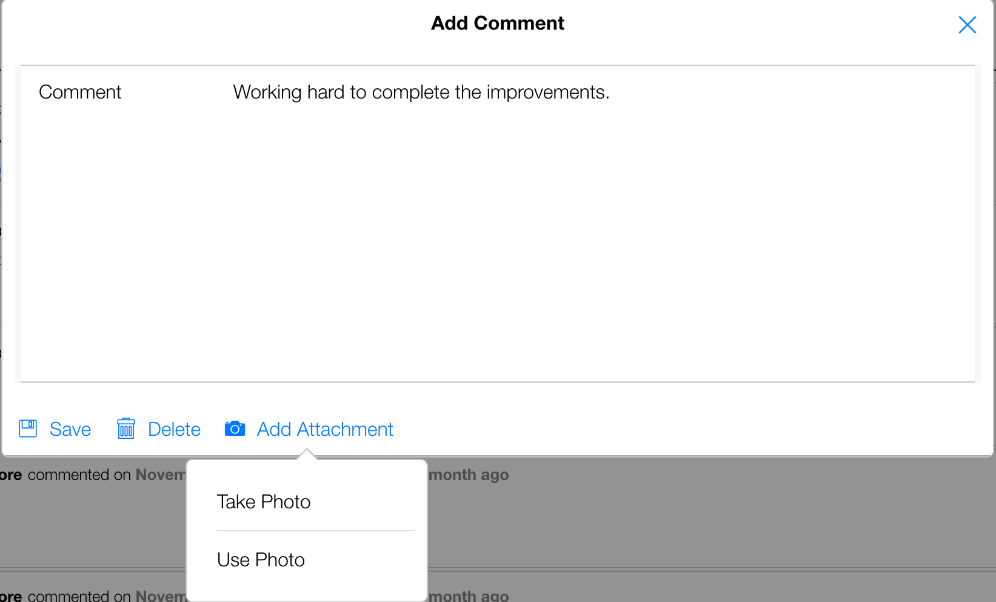
- The Delete option is available only before syncing the comment to the CCMS database. Once synced the comment is considered published and cannot be deleted.
- The Add Attachment is available only before syncing the comment to the CCMS database. Please see the Attachments section for information on adding attachments.