-
If there is a problem with the project database and it's not possible to fix in the office by the OE via syncing, CCMS offers the option to upload a copy of the database to the CCMS server. The Technical Support Group will download a copy and troubleshoot the issue.
To upload a copy of the project database to the CCMS Technical Support team:
- Tap the Settings button on the CCMS app toolbar

Figure 186 - Settings tab on the CCMS toolbar
- On the CCMS Settings page, under the Database and Sync tab, tap the Go button next to Diagnostics field
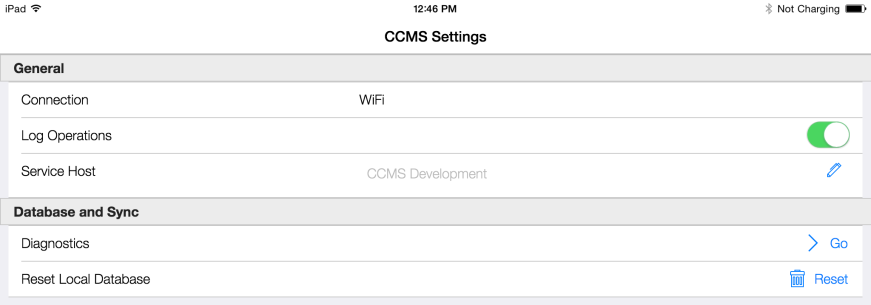
Figure 187 - Tap 'Go' to access the database upload function
- On the CCMS Support and Diagnostics form, under the Upload Database tab, tap the Upload button
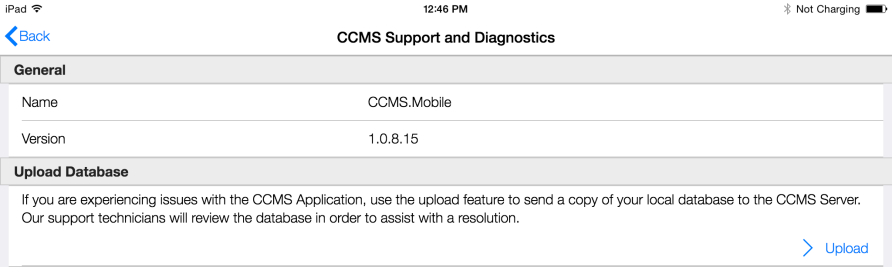
Figure 188 - Tap Upload to send database to CCMS Technical Support Team
- After successful upload, tap OK to CCMS Email Support message
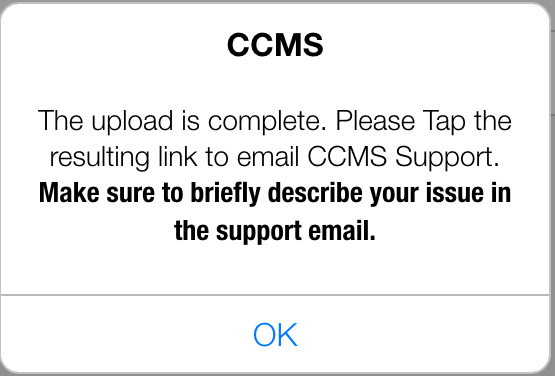
Figure 189 - CCMS Upload Email Support message
- Tap the Tap to Email Support link to open up tablet email service and email CCMS Technical Support Team
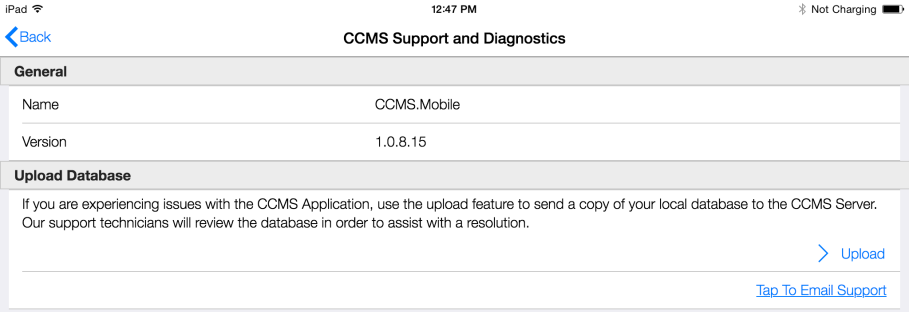
Figure 190 - Email Support link to contact CCMS support