-
- Open up the web browser on the tablet and navigate to the following CCMS Mobile Portal website: https://ccms.rkk.com/mobile
The CCMS Mobile Portal page displays a list of all CCMS Tablet Application installers. Only the current build (version), active link at the top of the page can be installed.
- The Current Build is located at the top of the list and is the only once with an active link.
- Tap the most recent version of the CCMS Mobile build to install.
- Tap Install on the CCMS pop up message
.
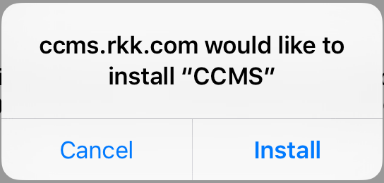
Figure 2 - CCMS Install Message
- Once the install is complete, the CCMS icon will display as:
