-
- Tap the Crews tab
- Tap the Crew record to add Labor record
- Tap the Labor button
- Tap the Add button in the Labor toolbar
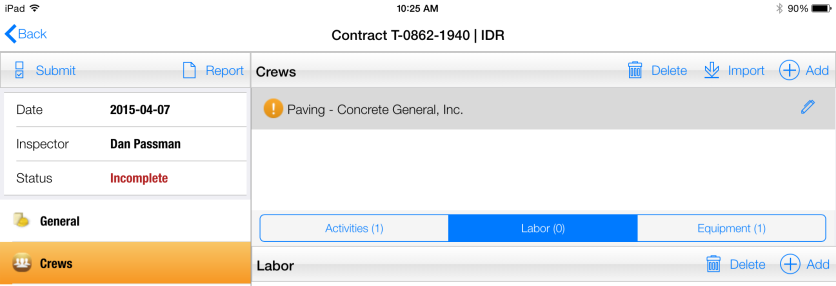
Figure 44 - Tap Add button on Labor toolbar to add new labor record
- In Add Labor form, select the Project Laborer to add from drop down list
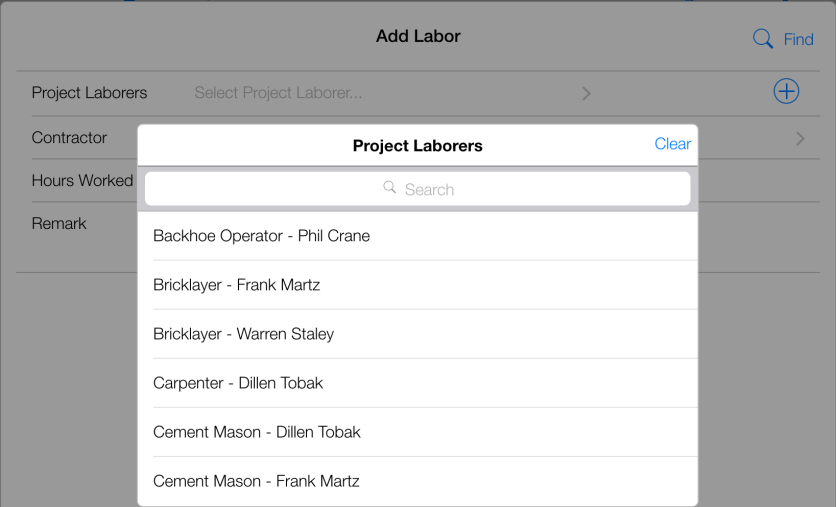
Figure 45 - Select Project Laborer from list
- Note: If the desired Project Laborer entry is not present in the drop down list the labor must be added to the project. Refer to the section Adding Project Labor (Detailed)
- Enter value for Hours Worked and Remark (optional)
- Tap Save
- Tap Close
- Labor record has been successfully added to IDR
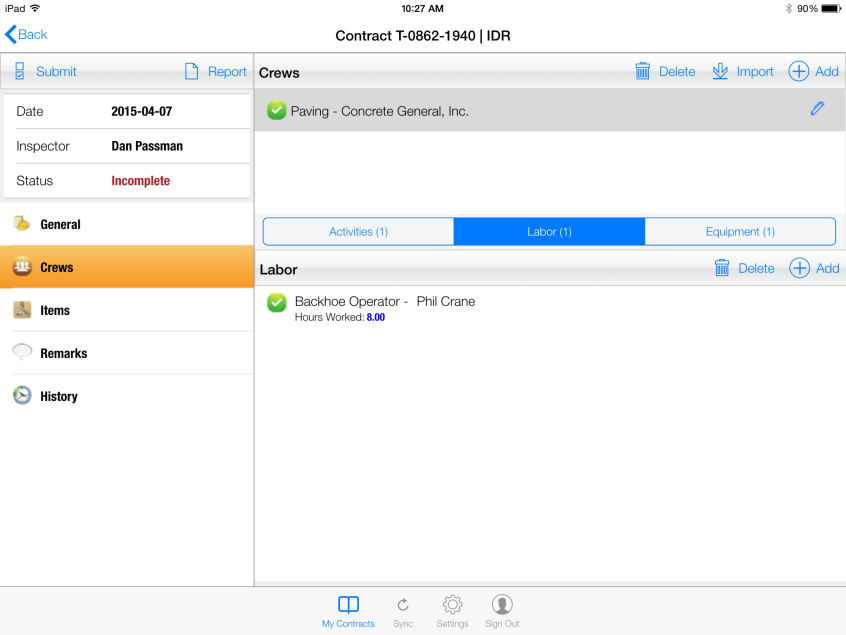
Figure 46 – Successful Detailed Labor entry for Backhoe Operator Phil Crane