-
If an IDR has been rejected by the OE/RE, it will be sent back to the inspector to make the necessary changes or corrections. Each rejected IDR includes a Remarks field for the OE/RE to enter information about why the IDR was rejected and what needs to be done by the inspector.
To edit a Rejected IDR:
- On the IDR History page, select the Rejected tab to view a list of rejected IDR(s)
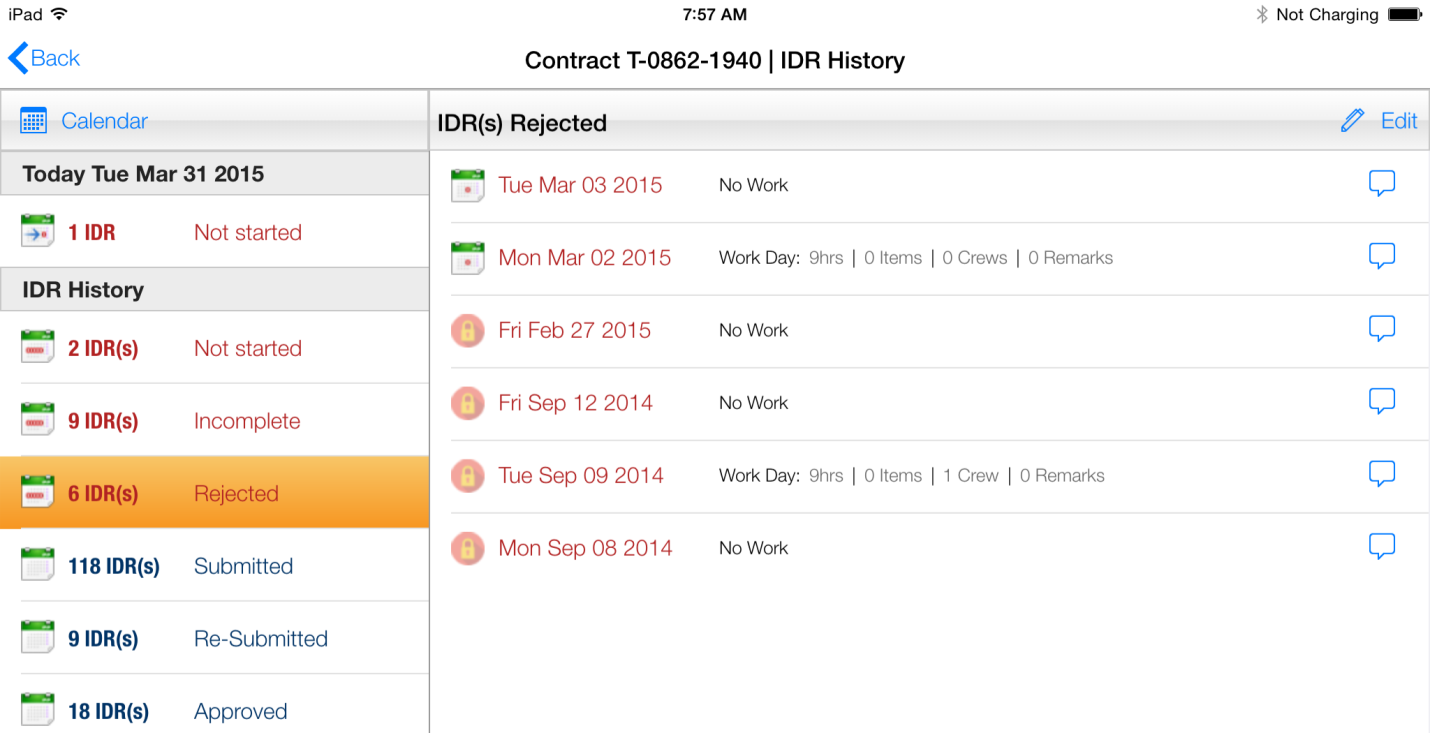
Figure 139 - Rejected IDRs shown on IDR History list page
- Select Rejected IDR to edit
- Select History tab to view IDR progression to date
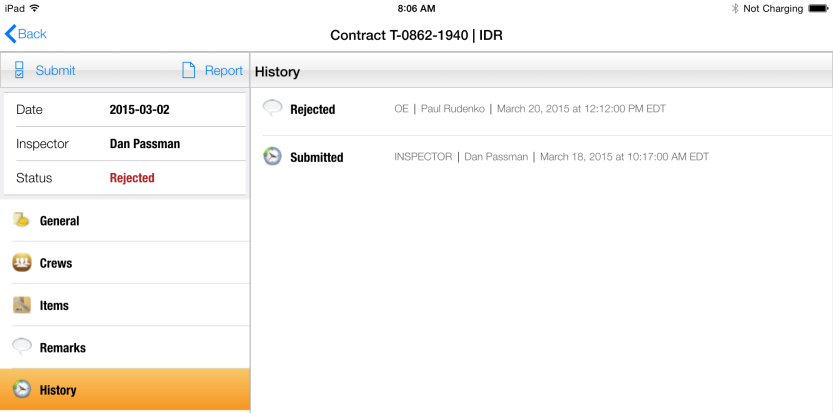
Figure 140 - History of IDR for 3/2/2015
- Tap the Rejected record to view OE/RE remarks in History Details form
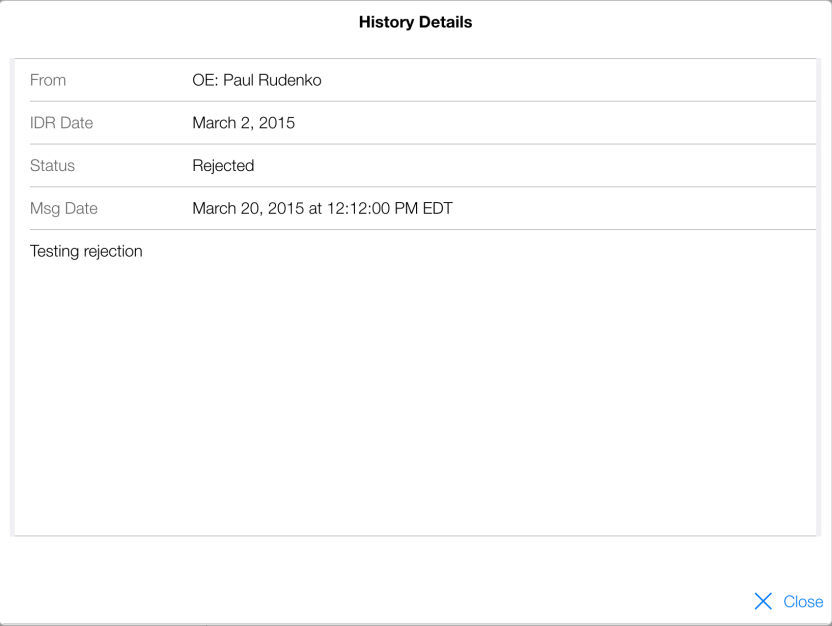
Figure 141 - Details of rejected IDR. OE/RE comments shown here
- Close History Details form; make all edits
- Tap Submit button to Submit IDR again