-
To add a Project Journal entry:
- Select the contract from the Contracts page
- Tap the Journal Entry tile.

- Tap the Add button

Figure 151 - Add Journal Entry button
- The Journal Editor form displays
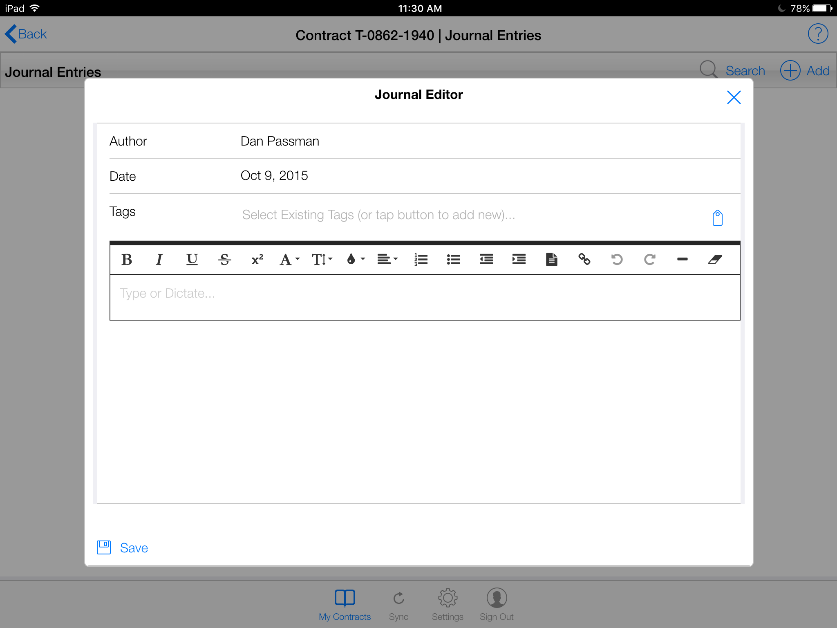
Figure 152 - Journal Editor form
- Tap the Tags field, select tag from the drop down list or tap the button to add new tag pic
- Leave a blank space after each new tag you enter
- Tags will not show up in the field until AFTER a Sync has occurred
- Be as specific as possible as this will be used for searching and indexing throughout the life of the project
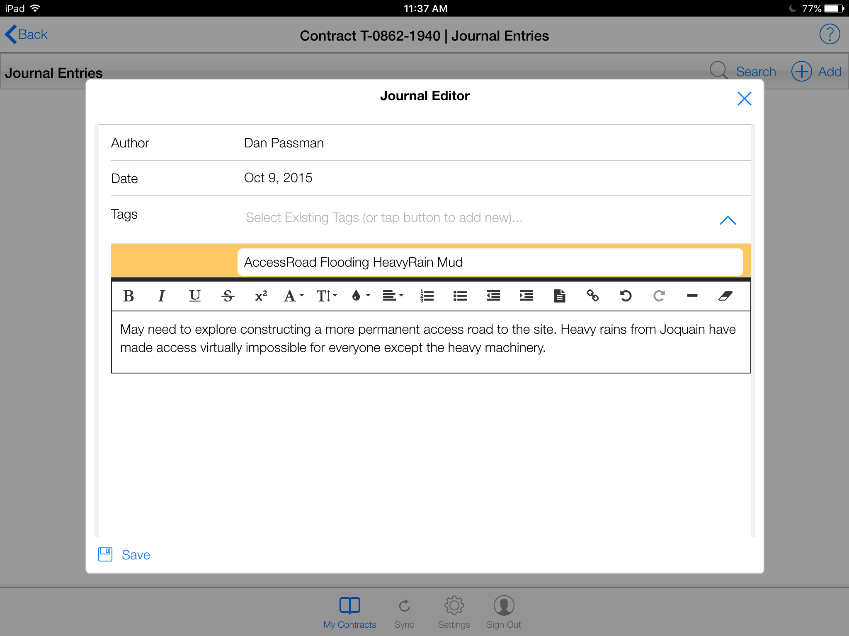
Figure 153 - Journal Editor with tags and comments entered
- Tap the text box and enter comments
- Tap the Save button on the Journal Editor form

Figure 154 - Saved Journal Entry