-
After a Sync has been completed, a message box will appear indicating either that the ‘Sync’ was successful, or that there were errors that need to be reviewed. If there were errors, an error log is generated for the project and details about each issue are shown. The users can then make corrections and resubmit the IDR at any time.
The following illustrates the scenario where ‘Sync’ errors are generated:
- Finish all IDR edits and Save IDR
- Perform Sync (see Perform a Sync section for details)
The following CCMS Sync Error message is displayed when there are Sync errors:
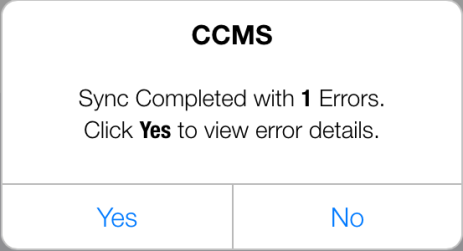
Figure 176 - Sync with errors message
Tap Yes to access the CCMS Sync Error Log page
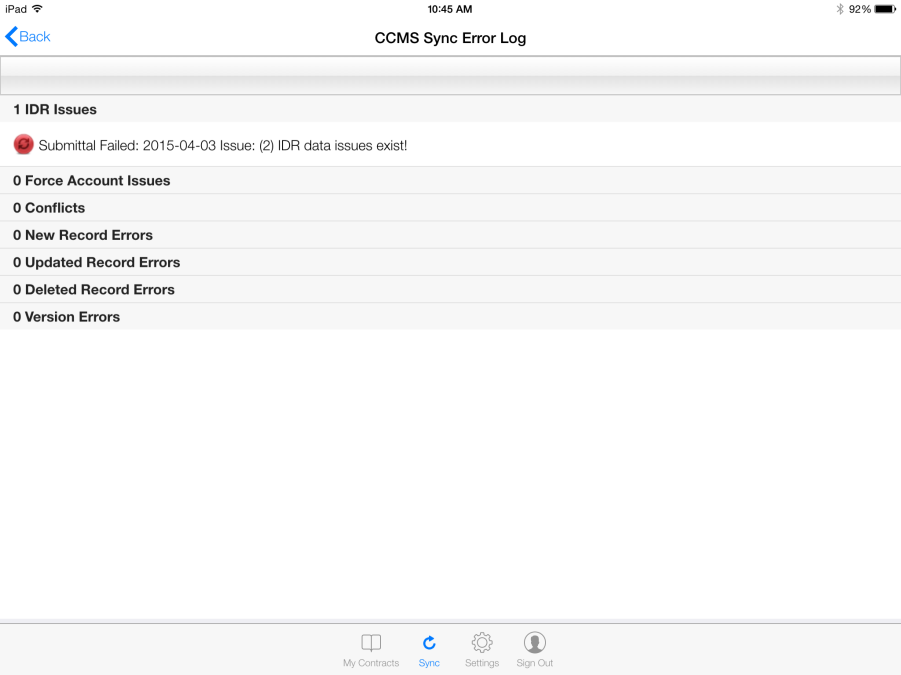
Figure 177 - CCMS Sync Error Log page
Tap the error record to access Error Details form regarding ‘Sync’ issue
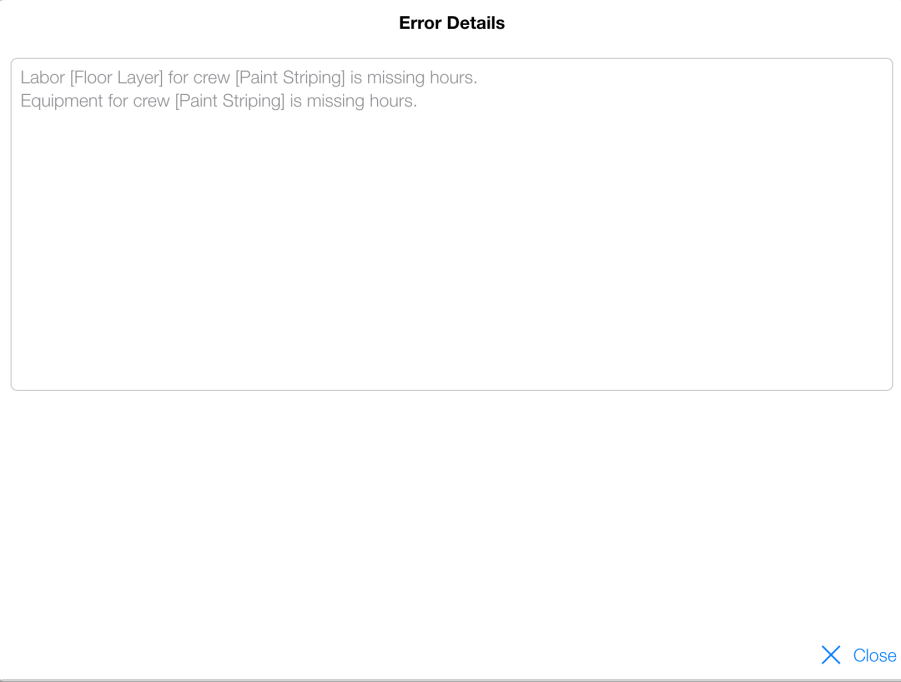
Figure 178 - Error details for Sync IDR issue
- Tap Close on the Error Details form
- Select IDR with ‘Sync’ error
- Make necessary edits and Tap Save
- Submit IDR again
- Perform ‘Sync’ again until CCMS returns Successful Sync message