-
As long as an Inspector is actively registered on a construction project, he or she must enter an IDR for each day (Saturday and Sunday may be optional). In the event the inspector did not work on a particular day, the inspector will enter a No Work IDR.
- Select the IDR date using either the IDR History or Calendar view option
- In General tab, check the green box to the right of No Work
- No Work Remark form appears. Enter any remarks associated with the No Work entry
- Tap Save on No Work Remark form
- Tap Save again on IDR > General tab
- OPTIONAL: If you forget to enter the No Work Remark during this process or run out of space in the text box and need to add more, there is a special No Work Remark that can be added to supplement the remarks. To add this remark:
- Select Remarks tab.
- Tap the Type dropdown list and select No Work.
- Tap the appropriate Priority level.
- Add any Remarks.
- Tap Save.
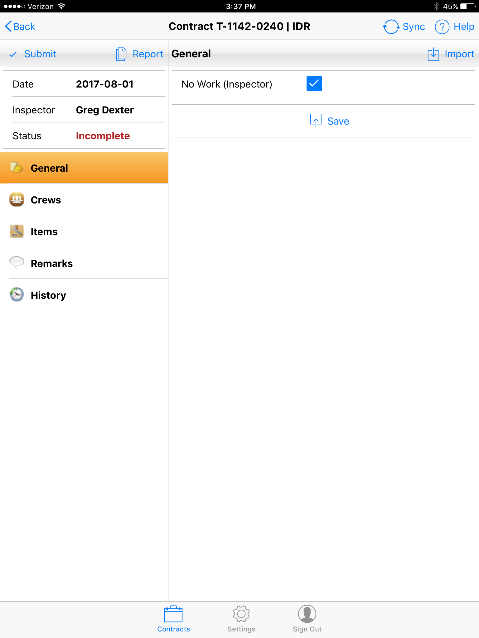
Figure 14 - No Work IDR entered on IDR General tab
Note: One or more Remarks may be entered on a No Work day.