-
On days where the Inspector (IDR author) did worked, the user should enter their work time for the day. The CCMS application requires a minimum of 8 hours be accounted for these IDRs. To enter work time:
- Enter your starting time in the Time In field
- Enter your ending time in the Time Out field
- Enter as many entries as needed for the hours worked. The total number of hours worked are displayed in Daily Hours Worked field below the Time Entries grid. If the Daily Hours Worked are not at least 8 hours, a Reason Off field will appear and the Inspector must enter a brief description indicating the reason 8 hours were not accounted
- NOTE: The Reason Off field is limited to 25 characters so the description MUST be brief. If a more through description is needed, go to the Remarks tab, and add additional detail.
- Tap Save
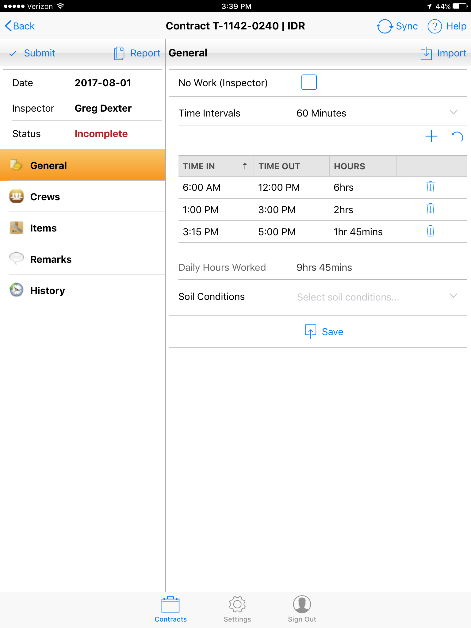
Figure 15 - Inspector Time entered on IDR General tab screen