-
Project Labor for the Detailed data entry mode involves managing a list of actual Laborer on the project. If you find the appropriate laborer is not available it must be added before the laborer can be referenced on an IDR. These new Project Labor can be added either by the Office Engineer and synced to the Tablet, or by the Inspector using the Tablet application. Once the added, the project labor record (laborer) will be available for all future IDRs.
To add a new project Labor record on the tablet:
- Tap the Crews tab
- Tap the Crew record to add new Labor type
- Tap the Labor button
- Tap the Add button on the Labor toolbar
- In the Add Labor form, tap the (+) icon located on the Project Laborers line

Figure 36 - Add Labor form
- In Add Project Laborer form, tap the (+) icon located on the Type line

Figure 37 - Add Project Laborer form
- Enter the new Labor type in the highlighted New Type field
- Select a Contractor and enter the Project Laborer Name in Name field
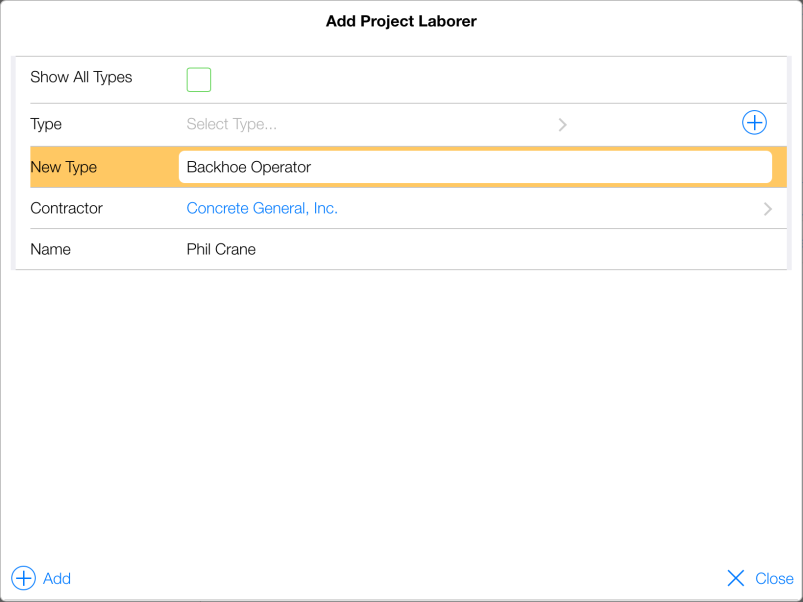
Figure 38 – Tap Add icon to add New Project Laborer Phil Crane to project
- Tap the Add (+) icon
- In Add Labor form, enter the Hours Worked and optional Remarks
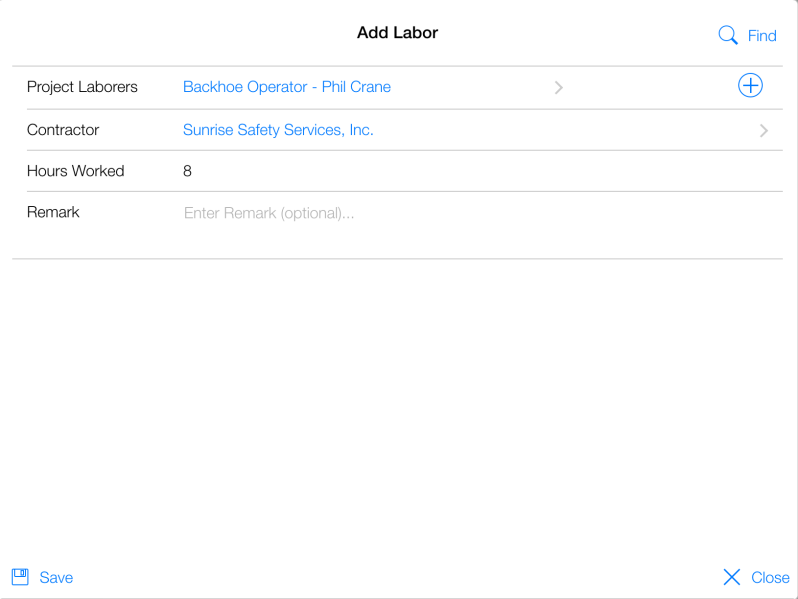
Figure 39 - Labor entry for New Project laborer Phil Crane for 4/7/15 IDR
- Tap Save
- Tap Close
- New Labor Type record has been successfully added to IDR
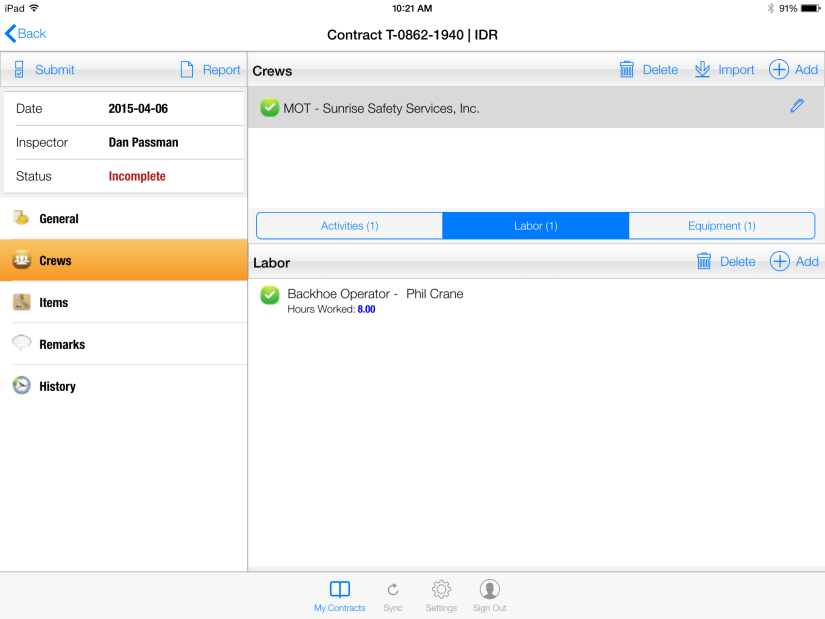
Figure 40 - Successful Labor entry for new laborer Phil Crane