-
Project Labor for the Basic data entry mode involves managing a list of Labor Types on the project. If you find the appropriate labor type is not available, the labor type must be added to the Project Labor list before the labor type can be referenced on an IDR. These new Project Labor can be added either by the Office Engineer and synced to the Tablet, or by the Inspector using the Tablet application. Once the added, the Project Labor record (labor type) will be available for all future IDRs.
To add a new Project Labor record on the tablet:
- Tap the Crews tab
- Tap the desired crew
- Tap the Labor button
- Tap the Add button on the Labor Toolbar
- In Add Labor form, tap the (+) icon next to the Project Labor field line

Figure 32 - Add Labor form
Note: Tapping the Select Type… link on the Type field will display the current list of Project Labor Types. If the Show Default Types is checked, the list will display the default application labor types.
- In Add Project Laborer form, tap the (+) icon on the Type field line
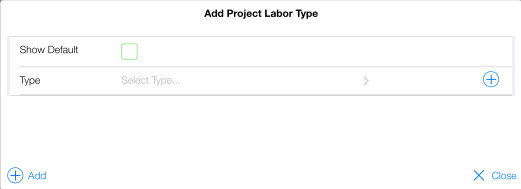
Figure 33 - Add Project Laborer form
- Enter the new Labor type in the highlighted New Type field
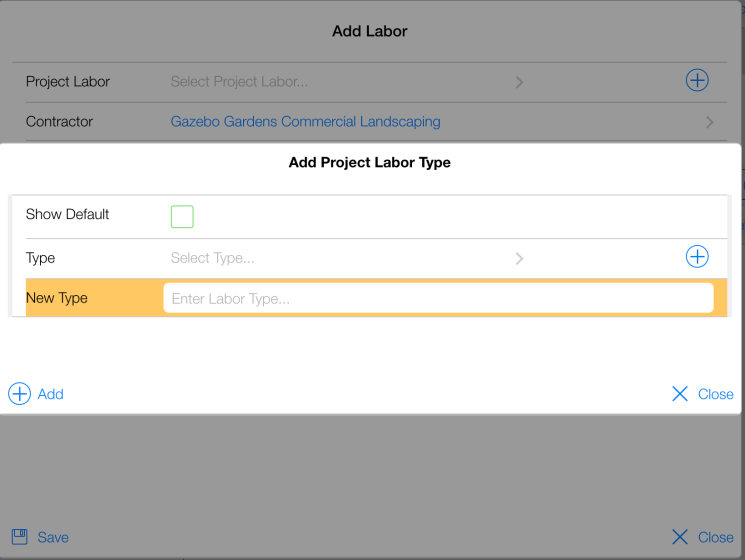
Figure 34 - New Laborer form
- Tap the (+) Add button
- Fill out the Count, Hours Worked and Remark fields
- Tap Save
- Tap Close
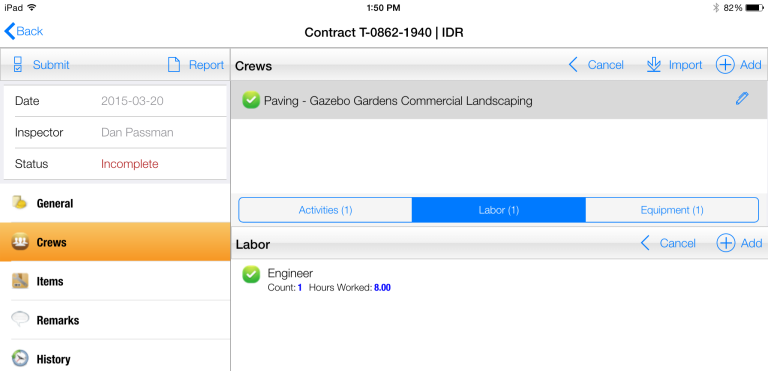
Figure 35 - New Labor Type 'Engineer' added successfully