13.3.1.1 Store Ledger
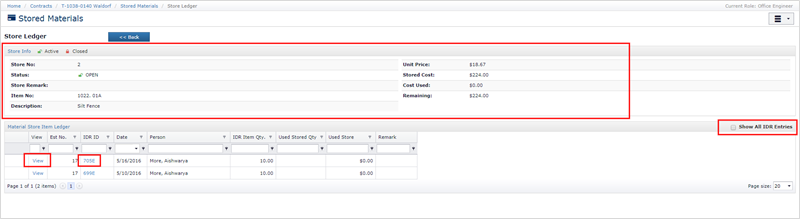
You can see Store ledger details of the stores by Clicking the Title link in the title column.

The Store Ledger section displays a summary of the store. The Material Store Item Ledger grid displays all IDRs containing the pay item for which the material is stored. You can see entire IDR by clicking the IDR Id. You can also see the details of the pay item by clicking the View link in the grid. To see details of the IDR, please click the IDR ID link for the respective item ledger entry.
Next Topic: Adding a Material Stored/To be Stored