13.3.1.2 Adding a Material Stored/To be Stored
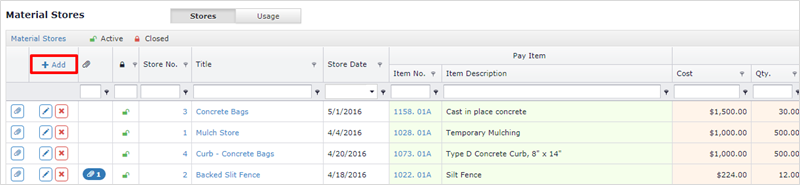
To Add a material store, click the Add button located in the top left corner of the grid.
An Add/Edit Form will be displayed.
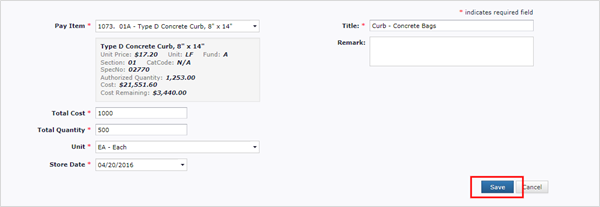
- Pay Item – Pay Item for which the material is to be stored.
- Total Cost – Total cost of the material being stored.
- Total Quantity – Total quantity of the material being stored.
- Unit – Unit of the Material.
- Store Date – Date the Material was/will be stored.
- Title – Title of the store.
- Remark – Remark about the store/material/usage.
Click Save to add the material store to the item set.
Next Topic: Editing a Stored Material