13.3.1.3 Editing a Stored Material
To Edit a store, click the Edit link in front of it.
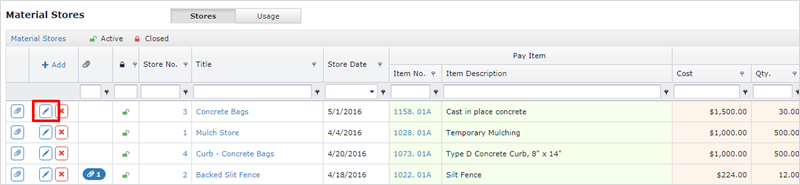
The Edit store form is displayed.
Note: Pay Item cannot be changed. If the store was created for incorrect item, delete this store entry and create a new entry for the correct pay item.
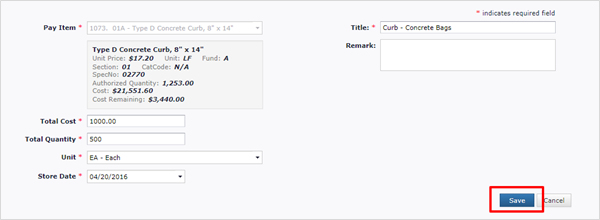
Make desired changes and Click Save to save the changes.
Next Topic: Deleting a Stored Material