13.3.2 Usage Tab
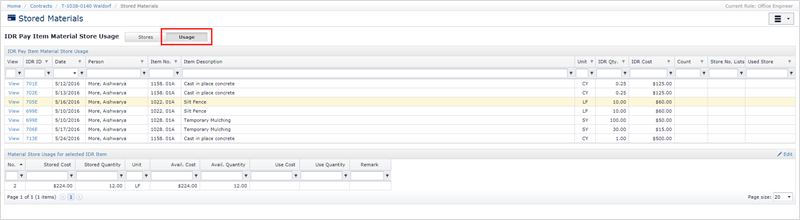
Clicking the Usage tab button displays details and a toolset to manage the use of stored materials, i.e. taking material out of the store. The upper grid (IDR Pay Item Material Store Usage) contains individual IDR Item entries for the current progress payment period and current details on stored usage for each entry.
The lower grid (Material Store Usage for selected IDR Item) displays the individual stored material usages associated with the IDR Item row selected from the upper grid. See the next section for more detail on this lower grid.
Click the View link at the beginning of the grid row to display a popup form containing the full details of the IDR Item entry. To see details of the IDR, please click the IDR No link in the IDR ID column.
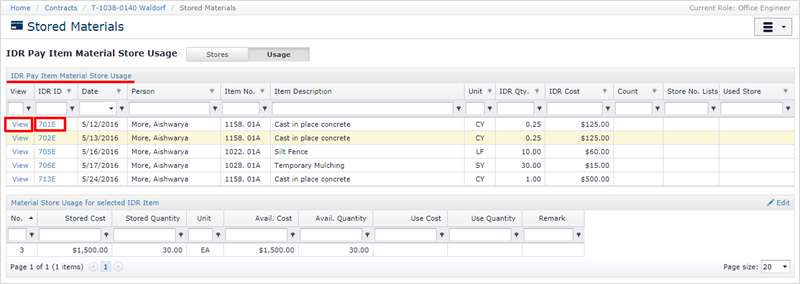
The last three columns in the grid provide details on which material stores were used and how much stored material was removed as part of this entry. CCMS supports the creation of multiple material stores for any one pay item, and it is possible to use material from multiple material stores for any one pay item.
For each IDR Item entry, the last three columns refer to:
- Count – Number of Material Stores used
- Store No. Lists – A comma-separated list of material store ID numbers used
- Used Store – Total cost of material removed from the store
Next Topic: Item Ledger / Editing Usage