14.1.3 Time
Modification to contract time can be completed by clicking the Time tab on the Change Order editor.
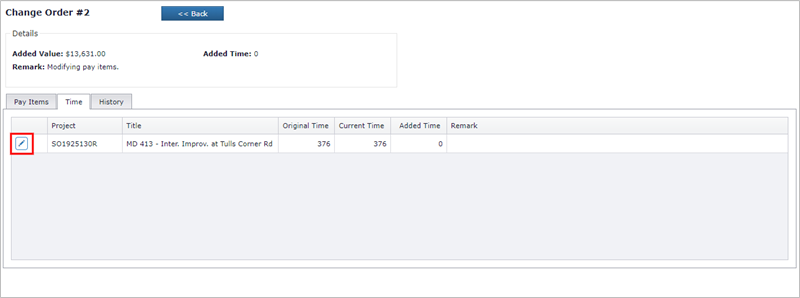
Click the Edit button to load the Edit Project Time Modification form.
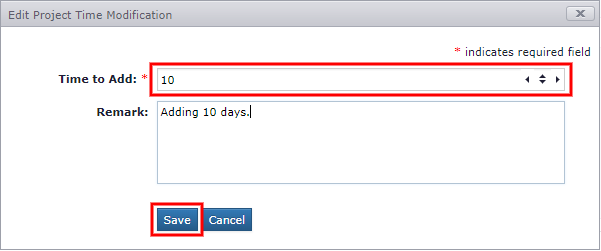
- Adjust the Time to Add [positive or negative number] (Required).
- Enter a Remark. (Optional)
- Click Save.
The time record located in the Time tab will reflect the change.
Next Topic: History