14.1.2.4 Backout an EXISTING Pay Item
Select this option to backout (reduce) the quantity for an existing pay item.
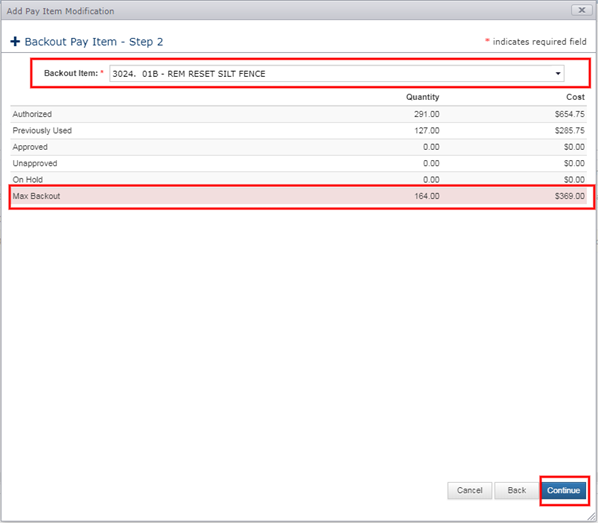
- Select the Backout Pay Item. A table will be displayed showing quantity details and the Maximum Backout amount of unused quantity.
- Click Continue.
Note: The default backout operation will backout ALL AUTHORIZED quantity. Users can edit the backout quantity by editing the pay item.
Click the Pay Item Edit button to adjust the backout quantity initially set by the system.
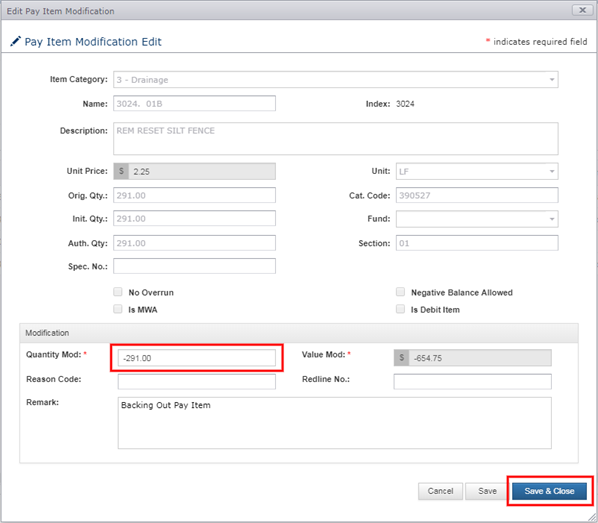
- Adjust the Quantity (if needed).
- Enter any optional information.
- Click Save or Save & Close.
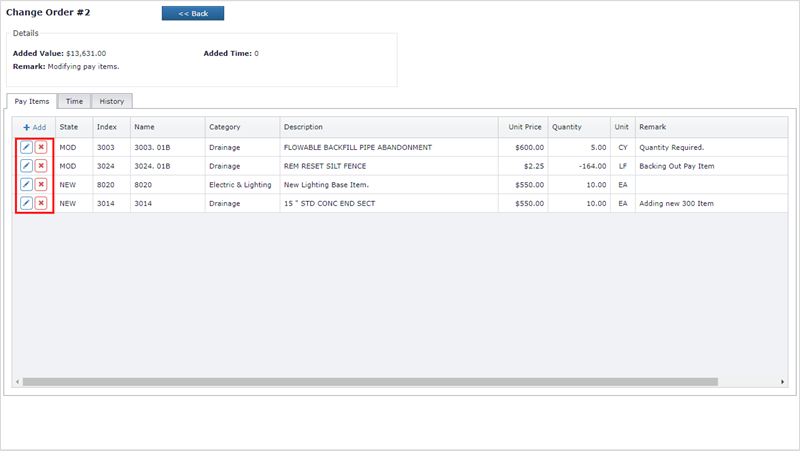
Once any Pay Item has been added to the Change Order, the grid will reflect the change. Changes to the pay items (edit/delete) are allowed while the Change Order is in the NEW or INIT phase.
Next Topic: Time