-
- Tap the Crews tab
- Select the Crew from the Crew list
- Tap the Equipment button
- Tap the Add button in the Equipment toolbar
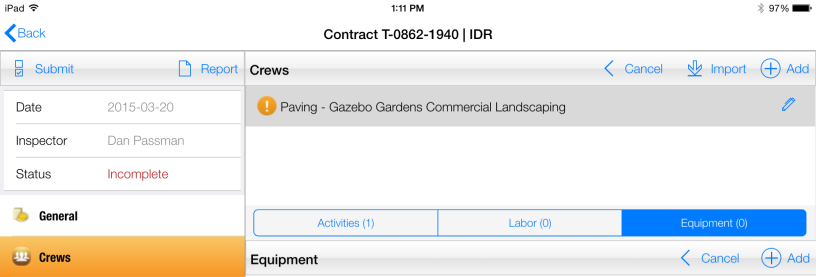
Figure 62 - Equipment function toolbar
- Select the Equipment field to access drop down list
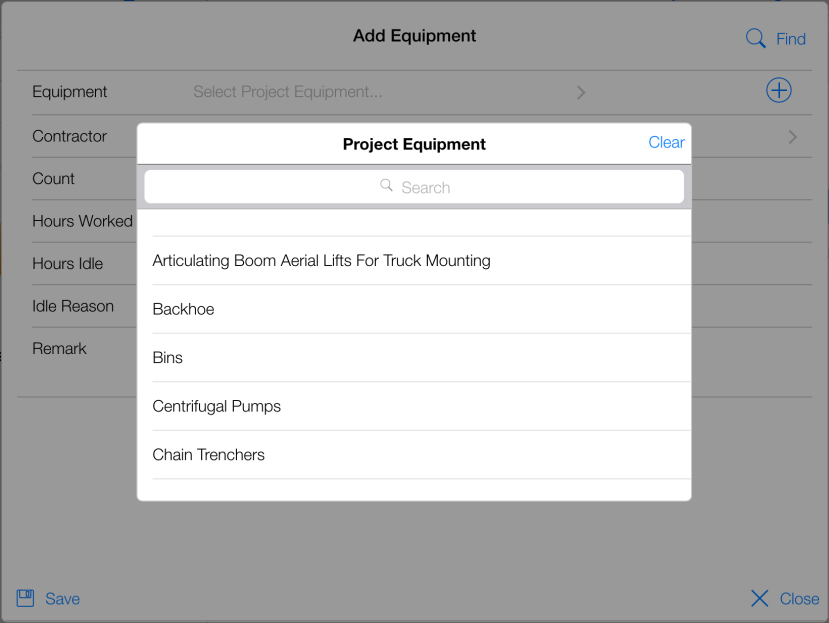
Figure 63 - Select Equipment from list
- Fill out the remaining fields (Count, Hours Worked, Hours Idle, etc.) and tap Save
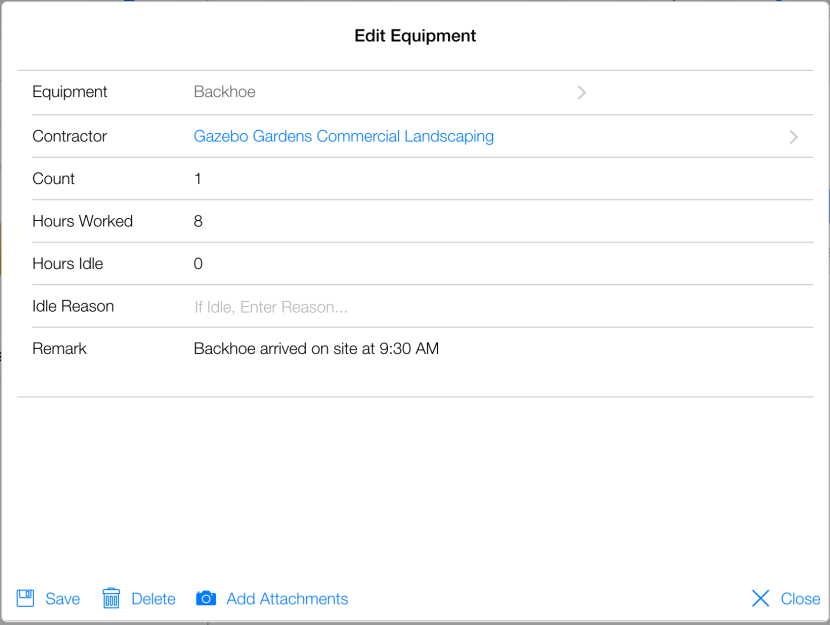
Figure 64 - Edit Equipment form completed
- Tap Save
- Tap Close
- Equipment record successfully added to IDR
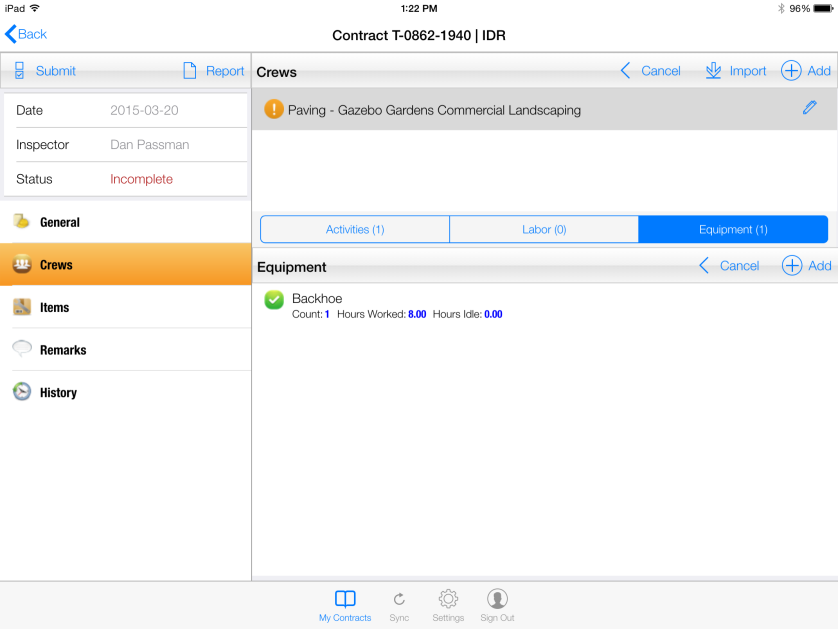
Figure 65 - New Equipment successfully added to IDR