11.6.2.2.2 Method 2: Password and Checkbox Confirmation
Depending on the configuration requirements for a signatory, there may be one more additional field which needs to be addressed to successfully sign the Progress Payment Approval. In the popup form below, the user is required to “Acknowledge” the electronic approval by checking the box provided, in addition to correctly entering their CCMS password. Currently, this additional step is required for each signatory who does not work directly for the owner agency (e.g. Contractors).
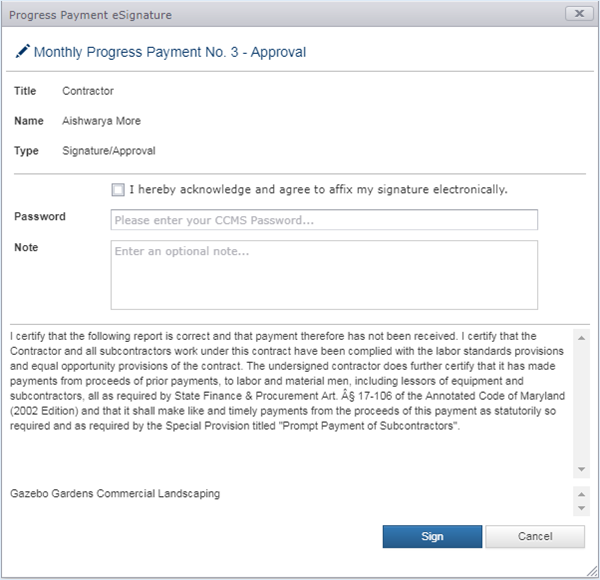
To complete the Electronic Signature, check the “I hereby…” checkbox, successfully enter your CCMS password, and click the Sign button. If the password is incorrect, you will be notified and must reattempt. The note field is optional and can be used to relay additional information about the Progress Payment. Information entered in the note field is only displayed on the Progress Payment report.
After successfully signing the Progress Payment, you will see the Success Page pictured below.
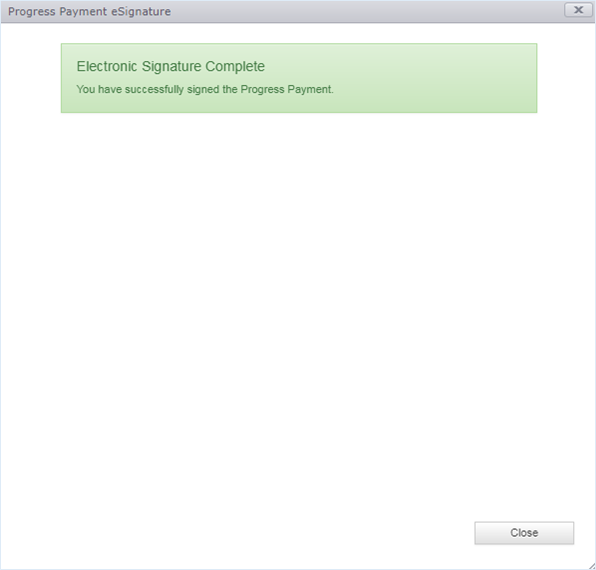
Click the Close button to return to the Progress Payment Approval page.
If the approval workflow is not complete, an email notice will be sent to the next reviewer/approver in the approval workflow list indicating they are ball-in-court and need to review the Progress Payment.
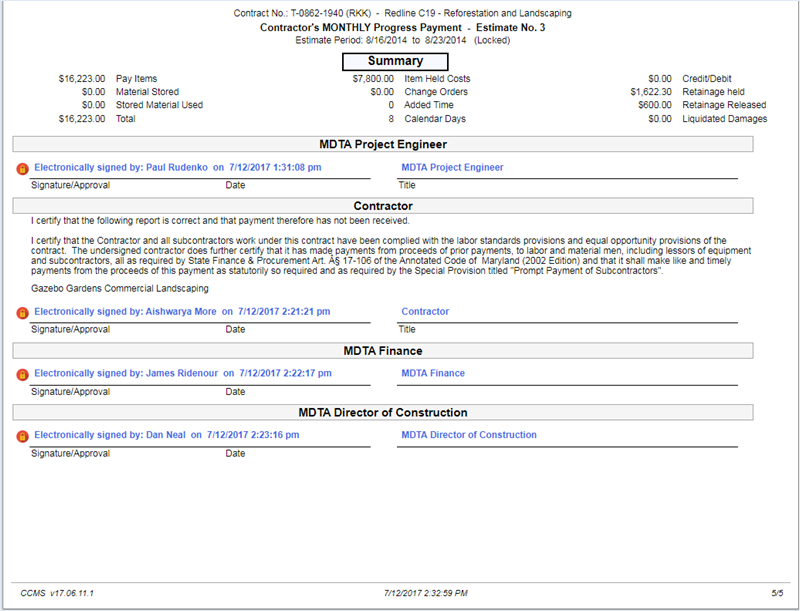
The Signatures page on the printed Progress Payment Report will show the Electronic Approvals on their appropriate lines, as shown below.
Next Topic: Reports and Exports